

One of the most important parts of blogging, beyond creating great content, is making sure that your blog is comment friendly and social. This means that visitors are able to have in-depth discussions through the comments with extra features. After commenting, they are easily able to share a blog post with others on their favorite social networks, such as Twitter, Facebook, Delicious and others. And finally, if they are interested in getting to know you better, they can easily find your social profiles.
Here are the Top 10 ways to make your WordPress blog comment friendly and social. Which may lead to more blog traffic.
10. Ajax Edit Comments
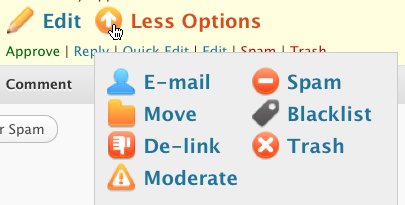
Ajax Edit Comments is a WordPress plugin that allows visitors to edit their own comments shortly after submitting them. Visitors can feel comfortable that their comment is not finalized as soon as they submit it, in case they made a typo. The bonus for you is that you will not have to deal with a lot of requests to edit comments after the fact.
Visit Ajax Edit Comments for more details.
9. Subscribe to Comments
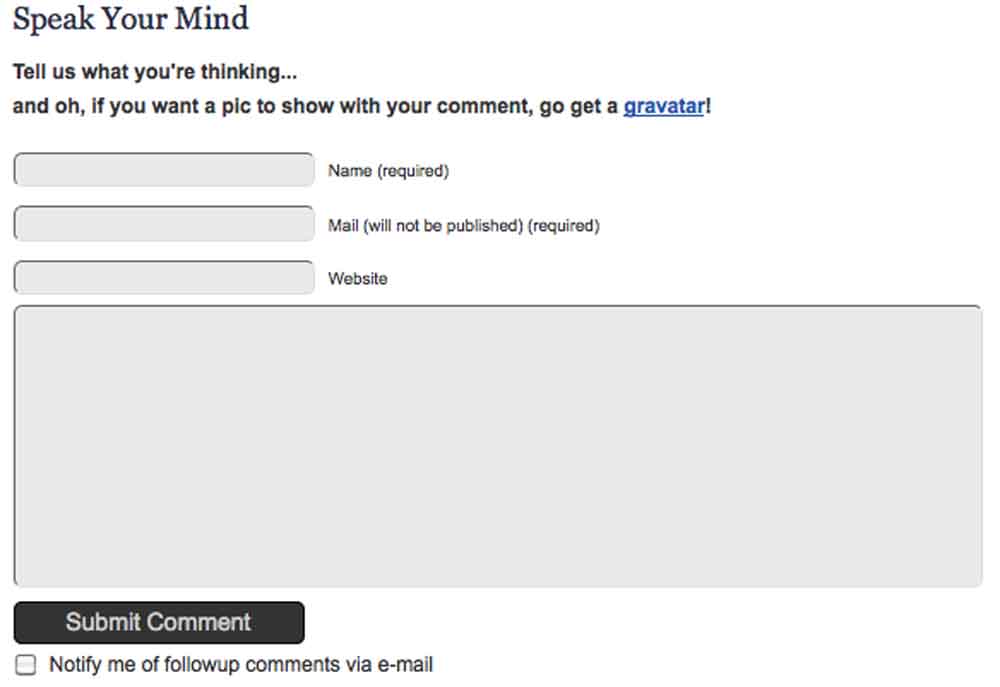
Subscribe to Comments is a WordPress plugin that allows visitors to receive email notifications of new comments added to a post they have just commented on. This will make the conversation on a blog post go beyond just one stop commenting by reminding visitors to come back and respond to new comments.
Visit Subscribe to Comments for more details.
8. CommentLuv
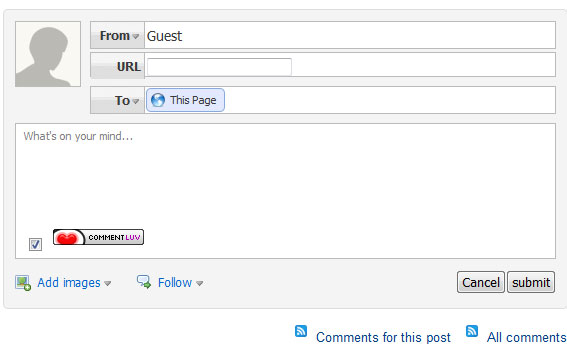
CommentLuv is a WordPress plugin that allows commenters who are also blog authors to leave behind an additional link in their comments to their latest blog post. There are many benefits of having CommentLuv enabled on your site – for commenters (extra incentive to comment), blog visitors (enriches your posts’ comments with related links), and yourself (helps you learn more about your readers).
Visit CommentLuvfor more details.
7. Threaded Comments
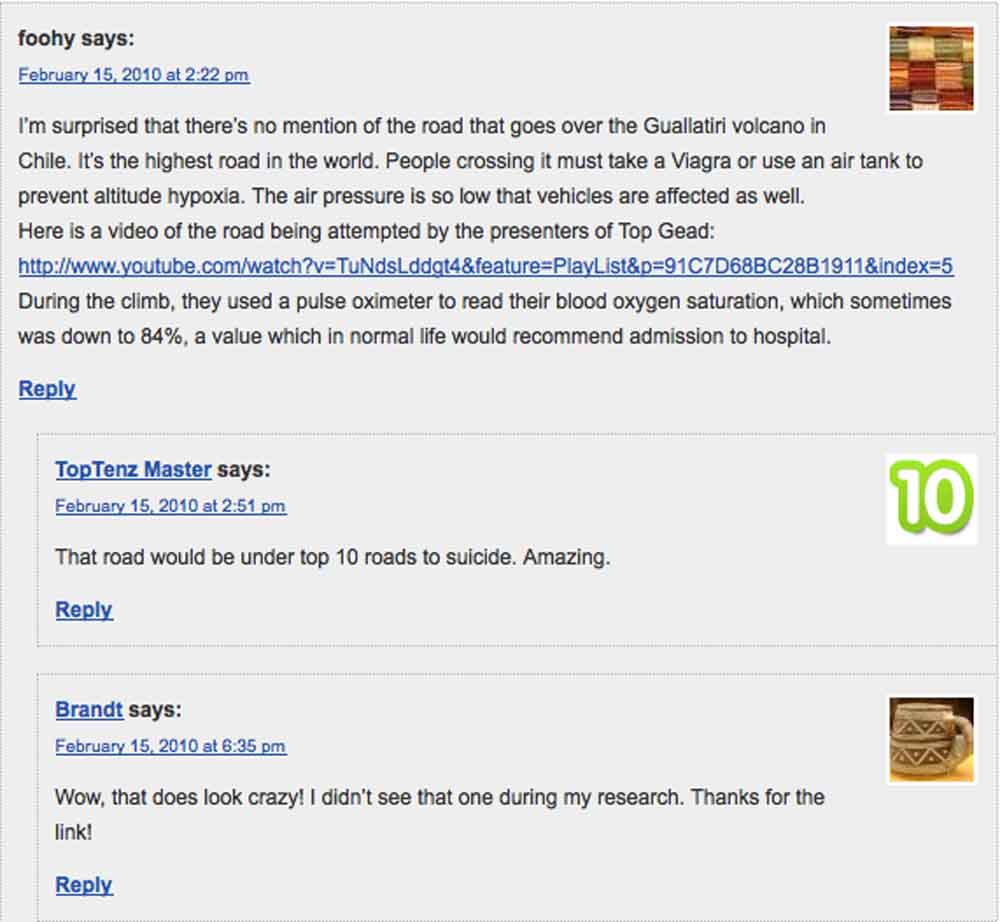
Threaded Comments is a feature in WordPress 2.7 and above which allows visitors to reply directly to other comments, encouraging more in-depth discussions and making it easier for you to reply to your commenters as well. It can be activated by going into the Discussion Settings of the dashboard and enabling threaded (nested) comments.
Visit Discussion Panel Settings for more details.
6. TweetMeme
TweetMeme is a button that encourages visitors to share blog posts on Twitter. This button comes in two styles, both including a counter for the number of times a blog post is tweeted. It can also be customized to use your @username in the retweet so you can see who is retweeting your article through your mentions / replies. The button can be added directly into the WordPress template theme, through the TweetMeme WordPress plugin, or directly in a post if you want to only push Twitter promotion on certain posts. Toptenz uses tweetmeme, so feel free to retweet this article for practice! Just click the button right above this paragraph to see how it works.
Visit TweetMeme for more details.
5. Facebook Share
Facebook offers a button similar to TweetMeme that allows visitors to easily share blog posts on their Facebook. This button also comes with two styles, with an optional counter for the number of times a blog post has been shared on Facebook. This button can be added directly into the WordPress template theme or directly in a post if you want to only push Facebook promotion on certain posts. Click on the share button above this paragraph to share this article on facebook or visit Facebook Share for more details.
4. Sociable

Sociable is a WordPress plugin that allows visitors to easily share a blog post on a variety of the top social bookmarking and networking sites. This plugin gives the blog owner control over which networks visitors can share the post. If you have a network that you would like to include that is not listed in the 100+ sites to choose from, Sociable offers instructions for how to add the additional site manually. Visit Sociable for more details.
3. Sexy Bookmarks

Sexy Bookmarks, like Sociable, is a WordPress plugin that allows visitors to easily share a blog post on a selection of the top social bookmarking and networking sites. Although the number of networks is much more limited compared to Sociable (only 18 to choose from), Sexy Bookmarks is much more graphically appealing. The icons are displayed at half their size, and when visitors hover over them, they pop up. There is also a cute message above the icons that says Sharing is Sexy.
Visit Sexy Bookmarks for more details.
2. Gigya Toolbar

Gigya Toolbar allows visitors to share a blog post on over 70 social bookmarking and networking sites, as well as connect their Twitter account to the toolbar and send out customized tweets. The toolbar also lets you add your Twitter and Facebook Fan Page links, RSS subscription option, Google search for your site, and more. It is conveniently located at the bottom of your website, so visitors can share something they like from any page at any time.
Visit Gigya Toolbar for more details.
1. Cute Profiles
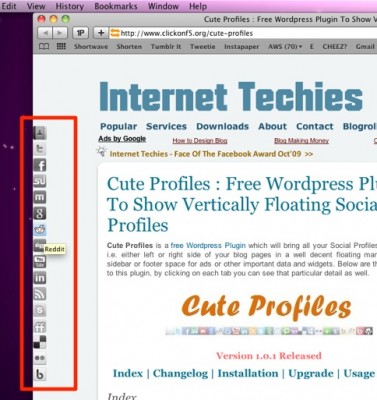
Cute Profiles is a WordPress plugin that allows you to add your social network contact information as icons down the side of your WordPress blog. Cute Profiles offers 50 networks to choose from, although you may not want to add them all since your visitor’s screen resolution may inhibit them from seeing all of your icons.
Visit Cute Profiles for more details.
By Kristi Hines. Visit Kristi’s blog, kikolani.com, for blogging and social networking tips.
27 Comments
I’ve always been a fan of the sexy bookmarks plugin – but a couple of those other ones I haven’t tried yet so I’ll be sure to put them thru their paces.
I don’t like giving dumb thank you comments, but this list of ways to make your blog more sociable has really helped me out. Could you also do one on what WordPress plugins are useful for getting more social activity on blogs?
Good points. It’s becoming more and more important to integrate your blog within your site for both the end user and also the search engines
You have picked the best of here for sure. I have tried most, still use comment luv and subscribe to comments. I have got rid of a few, like Sharaholic, coz my sites were getting bloated. You don’t have Folow Me, which is an excellent social bookmark plugin, unobtrusive, and much more than just Twitter these days.
You forgot to include chat widgets, which is one of the most important things a social blog must have. It promotes interactivity between the different users / viewers of the blog (unlike threaded comments, where the blog owner / moderator must approve a user’s comment first before it can be viewed), and is on “real-time”.
Include a chat widget always. It’s really easy to add said widget, although it would add quite a bit of a load to your server / website. It’s not a big problem though, especially if you’re running a large blog / website like this.
Thanks for these. I’ve seen almost all of these in action, and the ones that always catch my eyes are Sociable and Sexy Bookmarks. Funny though, I am new to this Gigya toolbar. Maybe I need to browse more blogs. But the ones I’ve found really useful to use are the Ajax Edit Comments and the Threaded Comments.
I’ve tried a few social plug-ins before, but never really found one that I liked, so thanks for digging these out.
I’ll definitely be trying a few out to see which ones work best on some of the various themes that I use.
Having said that, many of our blogs use a theme called Socrates, and that already allows for Facebook, Twitter, RSS, LinkedIn and YouTube as part of the theme, but we do run many other older blogs that use different themes that could definitely do with some extra social oomph.
I have most of these add-ons for my blogs/forums, but I dont know how to find the last add-on “Cute Profiles”. I dont use wordpress for my blog it runs on Joomla, I wonder if there are any free mods for joomla.
Great informative post though, thanks for the sharing!
My favorite tool is Sexy Bookmarks. It looks new and different and isn’t as intrusive as some of the other widgets. Will also have to try threaded comments. Thanks for the great tips!
Hi,
I usually use 2 from the above list, One among the two is commentluv. Its a great plug-in which improve blacklinks to blogs. From the list I impressed with “Ajax Edit Comments”, because which helps us to edit after submission of commands. Thanks for sharing:)
Regards
NARESH
So many option for socialize our blog, i use few of them already and thinking to using some others when necessary. Nice post Kristi 🙂
Great list for me to consider on my new blogs. i had not heard of a dew of them or understood how some worked so thank you for a great post.
I use about half of the ways mentioned in this post on my blog, but to be honest, I am thinking of not allowing comments at all on my blog. I’ll keep the social media stuff, but I get so many comments from automated comment posters that aren’t even relevant to my posts that I spend an excessive amount of time just cleaning them out. Kind of discouraging.
Thanks,
Mike
Thanks a lot for sharing this post! Having listed the top 10 ways to have a sociable blog, why didn't you use no. 8 in your blog? Having that installed, everyone will benefit from commenting on your blog.
Implementing AJAX functions and adding connecions with social networks can really make blogs more pleasant to interact on, for sure. I guess one should pick his/her few favourite tricks among your list rather than overdo it.
I don't really think this Ajax Edit Comment would be critical enough to install. I don't have any statistics about this but i'm sure that not many people would edit their comment after they submit it. Anyway this is indeed a great post. Thanks for sharing!
The threaded commenting system is one of my favorite, it makes it easier for us to reply to other commentors, also adding keywordluv and commentluv is a big yes for all bloggers out there. There are lots of benefits that we could get by installing it to our blog.
Hey, thank you for sharing a nice article. I've been practicing on how to monetize my site and some of them are on your post. I still don't know the others but I will try them too.
I'm starting up a new professional blog, powered by WordPress, of course, so these are great reminders of how to encourage readers and comments.
Great blog tips, thanks!
All these tools are great additions to any blog. I, as a frequent visitor to several great blogs (including this one), appreciate the sense of friendliness and community when such tools are utilized. After all, isn't that what a blogger wants – community?
Can these Word Press pulg ins be used on Blogger Blogs? Starting to feel overwhelmed. I had no idea there were so many of those social network sites. When does anyone work? Sleep? Eat?
I'm not sure which version you're using or last looked at, but currently SexyBookmarks supports nearly 80 different services/networks. haha!
Whoops, I mean to say I already use "most" of these.
#10 would come in handy here 🙂
I already use more of these. However there are a few here that are new to me so I'll check em out! Thanks 😉
We only use three of these here on toptenz.net, but the rest look helpful in gaining better social obedience from the masses.